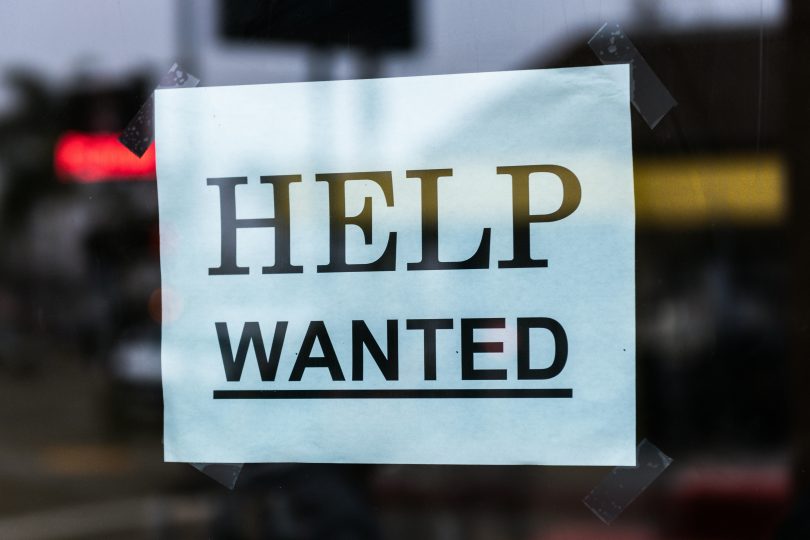

Many jobseekers in Ghana miss opportunities because they do not get timely notices. A focused alerts system helps you get the right job posts on your phone so you can apply early. This guide explains how to set up email and SMS alerts, which sources to trust, how to check employers, and how to follow up after applying. The steps work with low budgets and basic phones. Use them to find legit Ghana jobs and reduce time spent scanning listings.
Why job alerts matter for jobseekers in Ghana
Employers in Ghana often fill roles within days of posting. The first applicants get interviews. A alerts system reduces delay. It saves you from repeating searches and helps you target the best roles for your skills. Alerts also help you avoid scams by letting you compare multiple postings for the same role. When you receive fast, filtered notices, you can tailor your CV and cover letter for each employer. That move raises your chance of an interview.
What you need before you start
Before you set up alerts, gather a few basics. Use a dedicated email account for job applications. This keeps job mail separate from personal mail and helps you find messages fast. Keep a phone number that you check each day. Use a simple note app or spreadsheet to record the roles you apply for and the dates. If you expect SMS alerts, confirm your mobile airtime plan covers incoming messages. If you plan to use automation or a paid SMS gateway, set aside a small budget for setup and monthly fees.
Key sources to follow
Choose a mix of official and private sources. Official sources include public sector portals and ministry recruitment pages. These channels post verified vacancies. Add reputable private job boards and career sites that list roles in Ghana. Subscribe to the careers pages of employers you want to work for. Follow the LinkedIn pages of local companies and the Facebook pages of professional associations. Join a small group of trusted WhatsApp or Telegram channels that post verified listings. Use caution with open social media groups. Verify items in those groups against official employer pages.
How to build email job alerts (step by step)
1. Create a dedicated job email
Open a new email account with a reliable provider. Use a simple name such as firstname.lastname.jobs@gmail.com. Use this address for all job registrations and alerts. Keep the inbox tidy by using folders or labels. This practice makes it easier to set filters and to spot official messages among noise.
2. Sign up on portals and employer sites
Register on major job sites and on employer career pages. Select email frequency that matches your need. Choose daily or as-it-happens if you want the fastest alerts. For government roles, register on official public service pages and set alert preferences. If a site has keyword alerts, add your preferred job titles, locations, and skill words such as “accra”, “teaching”, or “accounting”.
3. Use Gmail filters and label notifications on your phone
If you use Gmail, set filters to tag incoming job emails with a label such as JobAlerts. Create a filter that matches sender addresses or keywords. Enable label notifications on the Gmail app so your phone alerts only for labeled messages. This reduces distraction and highlights the most relevant posts. To do this, open the Gmail app settings, pick your job email, tap Notifications, then Label notifications, and select the JobAlerts label. Set sound and priority as you prefer.
4. Use Google Alerts and RSS feeds
Create Google Alerts for phrases like “jobs in Ghana”, “teacher jobs Ghana”, or “graduate jobs Accra”. Set the delivery to your job email. For sites with RSS feeds, add them to an RSS reader app on your phone. Pick an app that sends push notifications for new items. Use short, specific search terms so alerts stay relevant.
How to build SMS job alerts (step by step)
1. Use job boards or employer SMS services
Some job boards and some employers offer built-in SMS alerts. Look for the SMS option when you register. Enter your mobile number and set your preferences. Choose local providers where possible because their delivery works best in Ghana. When a board sends an SMS, it often includes a link to the full posting.
2. Use a local SMS gateway provider for custom alerts
If you want custom SMS delivery from a set of feeds, work with a local bulk SMS provider. Give them the keywords and the phone numbers to notify. They can set an automated job that sends an SMS when a matching posting arrives in your feed or when you forward an email to a dedicated address. Expect a setup fee and a per-message cost. This option works well for small teams or community groups that want to share vetted job posts.
3. Use phone apps to forward important emails to SMS or push
If you do not want a paid SMS gateway, use a phone app to surface key emails as push notifications. Set your email client to only notify for job-label messages. On Android, some apps can forward emails to SMS but they may need permissions. Use them only after testing and confirming privacy. On iPhone, use the Mail app notifications or a third-party app that supports label notifications.
Comparison table of alert methods
| Method | Cost | Reliability | Setup effort |
| Email alerts + Gmail label | Free | High | Low |
| Job board SMS | Low | Medium to high | Low |
| Local SMS gateway | Paid | High | Medium |
| RSS reader + push | Free | Medium | Low to medium |
| Email to SMS apps | Free or low | Medium | Medium |
How to vet job alerts and spot scams
Scammers use job posts to collect fees or personal data. Watch for these red flags. The posting asks for payment to process the application. The employer email uses a free personal domain such as gmail.com with no company signature. The salary looks too high for the role. The job description contains many grammar errors or vague duties. The contact number does not match the company website. If an ad asks for copies of ID and bank details at application, treat it as suspect. When you find these signs, compare the post with the employer website or LinkedIn. If you cannot verify the employer, do not share sensitive personal data.
How to verify employers before you apply
Start with the company website. Check for a clear physical address and phone numbers. Look for a company registration number. In Ghana, you can check company registration status with the Registrar General’s Department. Search for the company on LinkedIn and look at employee profiles. Contact the employer using the phone number on their official site rather than the one on the job post. When possible, confirm the vacancy by calling or emailing the HR contact on the official site. Ask for details such as the hiring timeline and the interview process. If you deal with recruitment agencies, request the employer name in writing and verify it before you pay any fee.
How to follow up on applications (templates and timing)
After you apply, track the date and the method used. Wait seven to ten days before a first follow-up if the job posting shows a closing date beyond that range. Use a short, polite message to confirm receipt and restate your interest. If you applied through an online portal, follow any portal instructions before you follow up by email. If you interview and you do not receive a reply in the agreed time, send a second follow-up after seven more days.
Follow-up email template
Subject: Follow up on application for [Job Title] at [Company Name]
Dear [Hiring Manager Name],
I applied for the [Job Title] on [date] and I would like to confirm that you received my application. I remain interested in the role and I can provide any further documents you need. I look forward to your update.
Kind regards,
[Your Full Name]
[Phone number]
[Email]
Keep the message brief and factual. Use a clear subject line so the recipient finds your note fast.
Example templates
SMS alert example
New job: Finance Officer at [Company Name]. Location: Accra. Apply: https://example.com/job/123. Closes: 25 Sep. Reply APPLY to save this post.
Email alert example
Subject: New: Marketing Officer, Accra
Hi [Name],
A new job posted: Marketing Officer at [Company Name]. Key points: 3 years experience, degree in marketing, salary band competitive. Apply at https://example.com/job/123. Closing date 25 Sep.
Best,
[Job Alerts Team]
Follow-up email example
(see template above)
Conclusion and key takeaway
A reliable job alerts system gives you time advantage and reduces wasted effort. Use a dedicated job email, sign up for alerts on official portals, and set clear filters so your phone notifies only for the roles you want. For SMS, prefer reputable providers or employer SMS services. Always verify the employer before you share personal data. Track each application and follow up with clear, brief messages. Start with the steps for email alerts and add SMS only when you test the setup and confirm signal quality. A focused system helps you find legit Ghana jobs and keeps your search organized.